
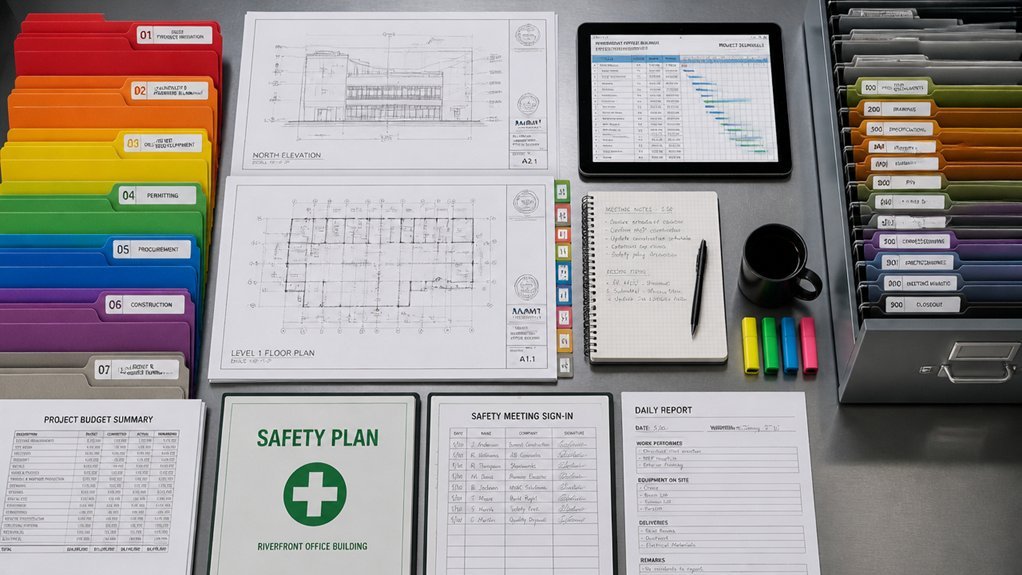
Construction projects generate thousands of documents: blueprints, permits, contracts, and change orders. Without proper organization, teams waste time searching for files, miss approval deadlines, and create compliance gaps. A centralized document control system addresses these challenges by consolidating information into one accessible platform.
The question remains: how do successful projects establish the systems and processes needed to manage this complexity? It starts with clear naming conventions and folder structures that everyone understands. Version control becomes critical when multiple stakeholders edit the same drawings or specifications.
Technology alone won’t solve the problem. Teams need defined workflows for routing documents, tracking approvals, and maintaining audit trails. Training ensures adoption, while regular audits keep the system clean and reliable.
Centralize Your Project Documents in One System

Construction projects generate numerous documents daily: blueprints, permits, change orders, safety reports, and correspondence. Managing these materials across multiple locations, folders, and team members creates inefficiency and delays.
A centralized document control system consolidates all project information into one accessible platform. This approach eliminates searching through email chains, file cabinets, and disconnected drives.
Cloud-based software solutions store documents with clear naming conventions and version control, ensuring everyone accesses current information.
Contractors, architects, and inspectors can retrieve specifications, schedules, and compliance records instantly. Centralization reduces errors from outdated documents, streamlines approvals, and maintains audit trails for regulatory requirements.
Build a Naming System That Everyone Understands
While centralization stores documents in one location, a consistent naming system guarantees team members find those documents quickly. Effective naming conventions include project codes, dates, and document types, separated by hyphens or underscores. For example, 2024-ProjectName-Blueprints-Rev02 clearly identifies the year, project, content category, and revision number.
Teams should establish standardized abbreviations, consistent date formats, and version control methods before starting work. This approach eliminates confusion from multiple naming styles, reduces search time, and prevents accidentally using outdated files.
All team members must follow the same rules without exception.
Assign Clear Ownership and Control Authority
Because documents pass through many hands during construction projects, designating a single person or small team to manage them becomes essential. This document manager controls who accesses files, approves changes, and maintains version records.
The manager tracks document distribution, records revisions, and enforces naming standards across the project. Responsibilities include reviewing submissions from architects, engineers, and contractors; organizing files in designated locations; and ensuring outdated versions are removed.
Clear authority prevents duplicate work, reduces errors, and eliminates confusion about which document version is current. Project teams must understand the manager’s role and follow established protocols for document submission and retrieval.
Track Changes and Manage Document Versions
Tracking modifications and maintaining version control systems prevents confusion about document status across the project team. Each document requires a version number, date stamp, and author identification.
Teams should implement naming conventions like Plan_v2.3_Final_2024 to distinguish iterations clearly.
Digital platforms such as SharePoint or Procore automatically log changes, track contributors, and maintain revision histories. Document control logs record what changed, when changes occurred, and who made them. Archived versions remain accessible for reference.
Regular audits guarantee outdated documents are removed from active circulation, reducing costly errors from using incorrect specifications or drawings.
Control Who Sees What: Permissions and Security
Maintaining accurate document versions addresses only part of the control challenge. Restricting access to sensitive information protects project integrity and prevents unauthorized modifications.
Construction teams should establish role-based permissions, granting architects full access while limiting subcontractors to relevant drawings. Password protection, encryption, and audit trails track who accessed documents and when. Different permission levels include view-only, edit, and admin capabilities. Cloud platforms like Procore and Autodesk offer granular controls.
Organizations should regularly review access lists, removing permissions when team members leave projects. This prevents costly errors, protects intellectual property, and maintains compliance with industry standards and contractual obligations.
Automate Approvals and Reduce Manual Handoffs
Manual approval processes create bottlenecks that delay project schedules and increase the risk of overlooked errors.
Automated workflows route documents to appropriate reviewers based on predefined criteria, eliminating unnecessary back-and-forth exchanges.
When submittals require engineering review, the system automatically sends them to designated personnel upon upload. Approval chains establish clear sequencing, ensuring documents move through required checkpoints without manual reassignment.
Notifications alert stakeholders of pending reviews, reducing forgotten tasks.
Digital signatures and timestamp records create accountability while maintaining compliance documentation. Integration with project management platforms updates timelines automatically when approvals complete, keeping teams aligned on schedule impacts and document status throughout project phases.
Audit Your System and Enforce Compliance
Regular audits of document control systems reveal gaps in compliance, approval tracking, and data integrity that automated workflows may not catch. Organizations should schedule quarterly reviews to verify that all project documents receive proper approvals, version control remains accurate, and stakeholders access only authorized information.
Audits identify missing signatures, outdated files remaining in active folders, and incomplete metadata. Teams should document audit findings in reports, assign responsibility for corrections, and track remediation timelines.
Enforcement mechanisms include permission restrictions, automated alerts for non-compliant uploads, and accountability measures tied to project performance metrics and budget accountability.
Frequently Asked Questions
How Long Should Construction Documents Typically Be Retained After Project Completion?
Construction documents should typically be retained for a minimum of seven years after project completion. However, retention periods may extend longer depending on warranty requirements, local regulations, and potential liability concerns. Organizations should consult applicable laws and contracts.
What Software Integrations Work Best With Existing Project Management Tools?
Integration options depend on the specific platform used. Popular choices include cloud-based solutions like Procore, Bridgit, and Autodesk that connect seamlessly with existing systems, enhancing workflow efficiency and document accessibility across teams.
How Do We Handle Document Control During Subcontractor or Third-Party Involvement?
While contractors control their operations, project managers maintain centralized document repositories. Subcontractors submit deliverables through designated portals, ensuring version control and accessibility. Approval workflows verify compliance before integration, balancing autonomy with standardized tracking requirements.
What’s the Best Approach for Migrating Legacy Documents to New Systems?
Organizations should conduct thorough audits of existing documents, establish clear metadata standards, digitize materials systematically, validate accuracy post-transfer, and maintain parallel systems temporarily to guarantee seamless changeover while preserving institutional knowledge and compliance records.
How Can We Ensure Document Control Compliance Across Multiple Project Locations?
Organizations must keep all their ducks in a row by implementing standardized protocols, centralized tracking systems, and regular audits across sites. Designating local compliance officers guarantees consistent adherence to document control procedures while maintaining real-time visibility into all project locations.
Conclusion
Effective document control requires implementing centralized systems, clear naming conventions, defined ownership, version tracking, permission controls, automated approvals, and regular compliance audits. When teams organize project information through these structured methods, do they not dramatically reduce errors, delays, and miscommunication? Organizations that adopt thorough document management experience faster approvals, better accountability, and improved stakeholder access. Success depends on consistent execution and enforcement across all team members and project phases.